
Bubble is a no-code app builder that lets anyone create SaaS applications visually-no traditional coding required. It’s popular among founders and startups for building, launching, and scaling SaaS products quickly and affordably.
But is Bubble right for your SaaS idea? Here are the top 10 questions people ask about Bubble App Builder, answered in plain English.
What is Bubble and How Does It Work?
Bubble is a no-code development platform designed to help users build web applications-including SaaS products-without writing code. Instead of typing out programming languages, you use a drag-and-drop visual editor. This lets you design user interfaces, set up workflows (the logic behind your app), and manage your database-all visually.
Key Features:
- Visual Editor: Drag and drop elements like buttons, forms, and data tables.
- Workflow Automation: Set up app logic, such as what happens when a user clicks a button or submits a form.
- Database Management: Create and manage your app’s data structure visually.
- Plugin Marketplace: Extend your app with pre-built integrations (think Stripe, Google, OpenAI).
- Deployment: Launch your app to the web with a single click.
How it works for SaaS: Bubble’s structure is especially suited for SaaS apps. You can build user sign-up/login flows, handle subscriptions, manage customer data, and even process payments-all without traditional coding. This makes it accessible for non-technical founders and small teams looking to validate ideas fast.

Can Bubble Scale to Support a Growing SaaS Business?
Bubble is built to handle growth, but there are nuances.
How Bubble Handles Scale:
- Cloud Hosting: Bubble hosts your app on scalable cloud infrastructure, so you don’t need to manage servers.
- Workload Units (WU): Bubble measures usage with “workload units,” which track how much server processing your app uses (database queries, workflows, etc.).
- Automatic Scaling: As your app grows and usage increases, Bubble can allocate more resources-though you’ll pay more as you use more WUs.
Limits and Considerations:
- Performance: For most small to medium SaaS apps, Bubble’s performance is solid. However, apps with very high traffic or complex data operations might hit performance bottlenecks.
- Scaling Costs: As your app grows, so do your costs (see pricing section below). Heavy apps may need optimization or, in rare cases, migration to custom code.
Summary: Bubble can support thousands of users and significant data loads, but massive, enterprise-grade SaaS apps may eventually outgrow no-code platforms.
How Secure Are SaaS Apps Built on Bubble?
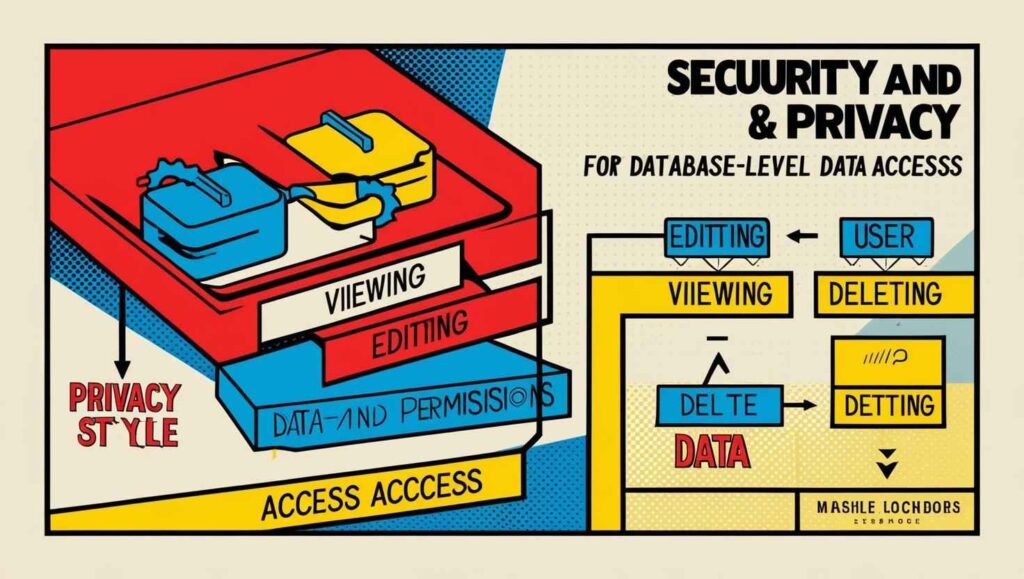
Security is essential for SaaS businesses, especially when handling user data and payments. Bubble offers several built-in security features:
Security Features:
- User Authentication: Built-in user management, including sign-up, login, password reset, and multi-factor authentication.
- Data Privacy Rules: Fine-grained privacy controls let you restrict who can view, edit, or delete data at the database level.
- Encryption: Data is encrypted in transit (SSL/HTTPS) and at rest on Bubble’s servers.
- Role-Based Access: You can create different user roles (admin, user, etc.) and control access to features and data.
- Compliance: Bubble’s infrastructure is hosted on AWS, which is compliant with industry standards like SOC 2 and GDPR. However, ultimate compliance depends on how you configure your app.
Best Practices: While Bubble provides the tools, it’s up to you to set up privacy rules and security workflows correctly. Bubble’s documentation and community offer guides on securing your SaaS app.
What is the Pricing for Bubble SaaS?
Bubble uses a subscription-based pricing model, with costs scaling based on features and usage.
Fact-Checked Summary of Bubble’s SaaS Pricing
Bubble’s pricing model for SaaS applications is structured around tiered subscriptions and workload-based scaling, with several key considerations confirmed by multiple sources:
Core Pricing Plans
- Free Plan:
- $0/month
- Includes 50k workload units (WU) and basic features but retains Bubble branding and limits API/testing capabilities.
- Starter Plan:
- $29–$32/month
- Targets small-scale apps with 175k WU, custom domains, and API access.
- Growth Plan:
- $119–$134/month
- Designed for scaling apps, offering 250k WU, collaboration tools, and enhanced server capacity.
- Team Plan:
- $349–$399/month
- Supports large teams with 500k WU, advanced version control, and sub-app functionality.
- Enterprise Plan:
- Custom pricing
- Includes dedicated servers, workload flexibility, and enterprise-grade security.
Workload Units (WU)
- Measurement: WUs track server processing for actions like database queries, API calls, and workflows49.
- Overage Costs:
- $0.30 per 1,000 WU beyond plan limits.
- Dedicated tiers for bulk WU purchases can reduce overage rates.
Add-Ons & Hidden Costs
- File Storage:
- Starts at 0.5 GB (Free) up to 1 TB (Team/Enterprise). Additional storage costs $3/month per 100 GB.
- Plugins:
- Premium plugins require paid plans.
- Agency Subscriptions:
- $78/month per seat for client-focused teams.

Scaling Costs
- Small SaaS: The Starter plan ($29) suffices for apps with hundreds of users, contrary to the original claim that $119 is needed812.
- Mid-Sized SaaS: Growth plan ($119) handles growing traffic and data28.
- Large SaaS: Team/Enterprise plans are required for apps with thousands of users, with costs potentially exceeding $1,000/month due to WU overages510.
Can I Integrate Bubble with External APIs and Databases?
Integration is a strength of Bubble. You can connect your app to almost any external service or database.
API Integrations:
- API Connector: Bubble’s built-in tool lets you connect to REST APIs (like Stripe, OpenAI, Google Apps, Twilio) without code.
- Authentication: Supports OAuth2, API keys, and custom headers for secure connections.
- Webhooks: Listen for events from external services and trigger workflows in your app.
External Databases:
- Direct Connections: While Bubble’s native database is powerful, you can connect to external databases like Xano or Supabase using APIs.
- Performance Impact: Heavy use of external APIs can affect app speed and may increase WU usage, impacting costs.
Plugin Marketplace: Hundreds of pre-built plugins make common integrations (payments, AI, analytics) even easier.
What Are the Limitations of Building SaaS with Bubble?
No platform is perfect. Here are some common limitations of Bubble for SaaS:
Technical Limitations:
- Performance: Complex apps with heavy real-time data or very large user bases may experience slowdowns.
- Customization: While Bubble is flexible, some highly custom UI or backend features may be difficult or require workarounds.
- Vendor Lock-In: Your app is tied to Bubble’s infrastructure. Migrating to custom code later can be challenging.
Business Limitations:
- Scaling Costs: As usage grows, costs can rise quickly if your app is not optimized.
- Plugin Reliance: Some advanced features depend on third-party plugins, which may not always be maintained.
Workarounds: Many founders use Bubble to build MVPs and early-stage SaaS products, then migrate to custom code if needed as they scale.
Is Bubble Suitable for Building Multi-Tenant SaaS Applications?
Multi-tenancy-serving multiple clients (tenants) from a single app instance with strict data separation-is a core SaaS pattern. Bubble supports this with careful setup.
How Multi-Tenancy Works in Bubble:
- Data Structure: Add a “Company” or “Tenant” field to your database tables. Every data record is linked to a tenant.
- Privacy Rules: Set up database privacy rules to ensure users can only access data belonging to their tenant.
- Role Management: Create user roles (admin, user, etc.) within each tenant.
Best Practices:
- Testing: Rigorously test privacy rules to prevent data leaks between tenants.
- Documentation: Bubble’s community and documentation offer guides on multi-tenant SaaS architecture.
Summary: With the right setup, Bubble is well-suited for multi-tenant SaaS apps.
Can I Build AI-Powered SaaS Products with Bubble?
AI integration is in high demand. Bubble makes it straightforward to connect with AI services.
How to Add AI to Bubble:
- API Connector: Use Bubble’s API Connector to integrate with AI platforms like OpenAI (for GPT-4), Google Cloud AI, or Hugging Face.
- No-Code Plugins: Some plugins offer ready-to-use AI features, like chatbots, image recognition, or sentiment analysis.
- Workflow Automation: Trigger AI actions (like generating text or analyzing data) as part of your app’s workflows.
Examples:
- Text Generation: Build SaaS tools that write content, summarize text, or answer questions using GPT-4.
- Image Processing: Add features like image tagging or OCR.
- Predictive Analytics: Integrate machine learning models for forecasts or recommendations.
Performance and Cost: AI calls are handled via external APIs, so you’ll pay those providers separately. Heavy AI use may increase Bubble WU consumption.
Can Bubble handle high traffic and large data storage needs?
Bubble can handle high traffic and large data storage needs for most small to medium-sized SaaS applications, but there are important issues to consider for founders planning for significant growth.
High Traffic Handling
- Scalable Cloud Infrastructure: Bubble runs on Amazon Web Services (AWS), allowing it to automatically scale resources as your app’s traffic increases. This means your app can generally handle sudden spikes in user activity without manual intervention3.
- Workload Units (WU) Model: Instead of traditional capacity limits, Bubble uses workload units to measure server usage. There are no rate limits, so your app runs at full speed as long as you have enough WUs. If you experience a traffic surge, Bubble automatically adds WUs to keep your app running smoothly, and you’re only charged for what you use24.
- CDN Integration: Bubble leverages Cloudflare’s Content Delivery Network (CDN) to deliver content quickly to users worldwide, further improving performance under high load23.
- Dedicated Server Option: For businesses needing more control or expecting consistently high traffic, Bubble offers dedicated server environments.
Important Note: If a massive spike in users overwhelms your available WUs, your app could experience slowdowns or even go offline until more WUs are added. This makes workload monitoring and advance planning critical for high-traffic events4.
Large Data Storage
- Cloud-Based Database: Bubble’s built-in database is scalable and can handle tens of thousands of records with ease. Users have reported managing over 20,000–46,000 database entries, and even more is possible with proper optimization35.
- Single Record Limit: Each individual record (“thing”) in Bubble has a hard size limit of 20 MB3.
- Performance Considerations: As your database grows, complex queries and filtering can consume more WUs and slow down performance. For very large datasets (approaching 100,000 records or more), you may need to optimize your data structure or consider using an external database like Xano or Supabase for faster response times and lower costs5.
- File Storage: If your app is storage-intensive (e.g., storing many files or large media), you can integrate external storage solutions like Wasabi Cloud Storage, which is cost-effective and scalable beyond Bubble’s native limits6.
Best Practices for Scalability
- Optimize Database Structure: Break down data into smaller, well-organized types and avoid unnecessary data duplication to improve performance3.
- Monitor Workload Usage: Use Bubble’s metrics dashboard to track WU consumption and anticipate when to scale resources2.
- Consider External Databases: For apps with very large or complex data needs, connecting Bubble to a backend like Xano or Supabase can provide better performance and cost control5.
Bubble is well-suited for handling high traffic and large data storage for most SaaS startups and growing businesses. However, as your app scales into the tens of thousands of users or records, you’ll need to carefully manage workload units, optimize your database, and possibly integrate with external storage or databases for best results.
How does Bubble’s visual builder compare to traditional coding methods?
Traditional coding requires writing instructions in programming languages like JavaScript, Python, or Ruby. Developers must:
- Write and maintain all code for the UI, logic, and database interactions
- Set up hosting, deployment, and infrastructure
- Debug and test code manually
- Maintain security, scalability, and integrations from scratch
Key Differences Explained
1. Accessibility and Speed
- Bubble: Lets non-coders build apps quickly. You can launch MVPs or prototypes in days or weeks, not months587.
- Traditional Coding: Demands technical expertise and more time. Every feature, integration, and UI element must be coded from scratch46.
2. Customization and Flexibility
- Bubble: Offers deep customization for most business needs, but highly specialized or novel features may require workarounds or aren’t possible without custom code24.
- Traditional Coding: No limits-developers can build anything, but it takes more time and resources.
3. Cost and Maintenance
- Bubble: Lower upfront costs and ongoing maintenance. No need for a large dev team; updates are visual and instant458.
- Traditional Coding: Higher costs for skilled developers, code reviews, and infrastructure. Maintenance is ongoing and can be complex45.
4. Performance and Scalability
- Bubble: Handles most SaaS, CRM, or marketplace apps well. May struggle with ultra-high-traffic, real-time, or performance-critical applications247.
- Traditional Coding: Can be optimized for any scale or speed, but requires more technical investment24.
5. Integrations and Extensibility
- Bubble: Built-in API connectors and plugin marketplace make integrations easy-no code needed for most popular services378.
- Traditional Coding: Developers must code each integration, offering ultimate flexibility but at a higher cost in time and complexity.
When Should You Choose Bubble Over Traditional Coding?
Bubble is ideal for:
- Startups and founders needing to launch quickly
- Non-technical teams building MVPs or internal tools
- Projects with limited budgets and straightforward requirements
- SaaS, CRM, marketplace, and dashboard-style web apps2478
Traditional coding is best for:
- Enterprise-level apps with massive scale or performance needs
- Highly specialized or innovative features
- Projects requiring full control over hosting, security, and infrastructure
What Are Some Successful SaaS Businesses Built on Bubble?
Real-world success stories help validate Bubble’s potential for SaaS.
Notable Examples:
- BetterLegal: A legal document automation SaaS that has processed thousands of filings and scaled to significant revenue.
- ByWord: An AI-powered content generation SaaS that grew rapidly, serving thousands of customers and generating high monthly recurring revenue.
- Dividend Finance: A fintech SaaS used for loan origination and management.
- Qoins: A financial wellness SaaS that helps users pay off debt, featured in major media.
What These Prove: Bubble can support real SaaS businesses with paying customers, complex workflows, and high growth. Many founders use Bubble to launch, iterate, and even scale to millions in revenue before considering a move to custom code.
How Easy Is It to Maintain and Update a SaaS App Built on Bubble?
Maintenance and updates are straightforward on Bubble, especially for non-technical founders.
Ease of Maintenance:
- Visual Editor: Make changes to UI, workflows, or database without touching code.
- Version Control: Bubble offers versioning and staging environments, so you can test updates before pushing them live.
- Fast Iteration: Add new features, fix bugs, or update designs quickly-ideal for SaaS teams that need to move fast.
- Learning Curve: Most non-technical users can become proficient in a few weeks, thanks to Bubble’s tutorials and active community.
Managing Technical Debt:
- Best Practices: Organize workflows, name elements clearly, and document your app structure to avoid confusion as your app grows.
- Community Support: Bubble’s forums and resources help troubleshoot issues and share best practices.
Frequently Asked Questions (PAA)
Is Bubble good for non-technical founders?
Yes. Bubble is designed for people without coding backgrounds. Its visual builder, extensive documentation, and active community make it accessible for founders who want to launch SaaS products without hiring developers.
Can I migrate off Bubble later?
Migrating a complex Bubble app to custom code can be challenging, as Bubble apps are tightly integrated with its platform. However, many founders use Bubble to validate their SaaS idea and build an MVP before investing in custom development.
How does Bubble compare to other no-code platforms?
Bubble stands out for its flexibility and depth. While platforms like Webflow or Adalo focus on simple apps or websites, Bubble can handle complex SaaS logic, workflows, and database structures.
Does Bubble support mobile apps?
Bubble is primarily for web apps. You can make your app mobile-friendly (responsive design), and some tools help wrap Bubble apps as native mobile apps, but it’s not a native mobile app builder out of the box.
Key Takeaways
- Bubble is a powerful no-code platform for building SaaS apps, ideal for non-technical founders.
- It supports scaling, security, and integrations, but costs and performance must be managed as you grow.
- Multi-tenant SaaS, AI integrations, and successful real-world apps are all possible on Bubble.
- Maintenance and updates are easy, but plan for potential migration if you scale to enterprise levels.
If you’re looking to launch a SaaS product quickly and without a development team, Bubble is one of the most robust options in the no-code space. With the right planning and best practices, you can build, launch, and grow a SaaS business-all from your browser.
Latest Posts:
- Top 10 Questions About Bubble App Builder for SaaS
- Building AI Agents with No-Code App Builders
- AI-Powered Responsive Handoff: Bridging Figma Prototypes to Code with Context Preservation
- How to Use ChatGPT for Auto-Translation in BotPenguin
- BotPenguin
- AI-Powered Localization in No-Code Builders: ChatGPT Plugins vs Native Tools
- Mobiroller
- Blaze.tech
- GoodBarber | Build Beautiful E-Commerce Apps